Get around the back office
Sign in to the back office, find your way around its menu, and know which page holds which setting.
The back office is the website where you set up and run the restaurant: the menu, staff, store settings, hardware and every report. Open login.realpos.net in any browser, on a computer, tablet or phone.
Sign in
- Go to login.realpos.net.
- Type your Email address and Password.
- Click Sign In.
Forgot it? Click Forgot your password? under the button.
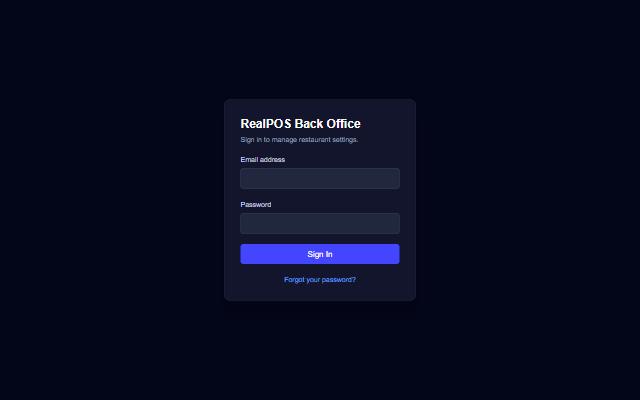 The back office sign-in page
After you sign in, the back office opens on Stats, today's numbers at a glance.
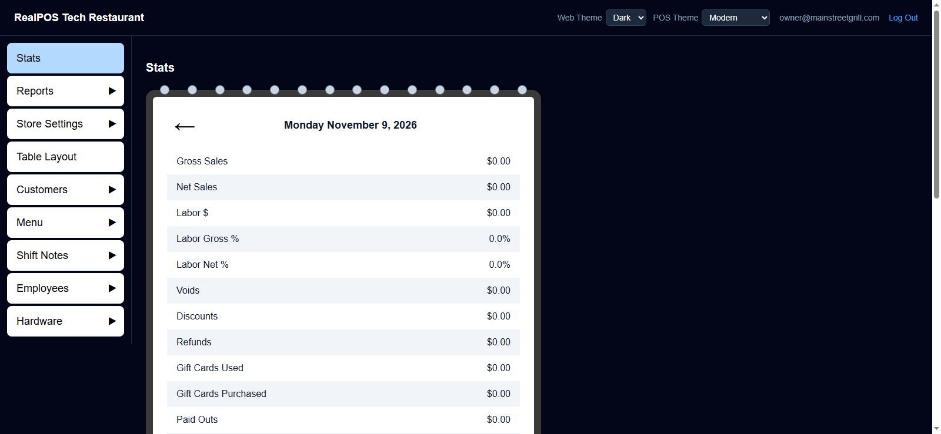 The back office, open on Stats
The menu down the side
On a computer the menu runs down the left side. Each heading either opens a page or holds a group of pages.
- Click a heading's name to open it. A group with no page of its own opens its first page (for example Menu opens Categories).
- Click the ▶ arrow beside a heading to see the pages inside it, then click one.
Once you're on a page in a group, the other pages of that group show as blue tabs across the top. Click a tab to jump between them without going back to the side menu.
On a phone, tap the three-line menu button at the top left. Tap a heading's name to open it, or the arrow beside it to see its pages.
What's where
| Menu | Pages | What you do there |
|---|---|---|
| Stats | Today's sales, labor and guests. See Reports. | |
| Reports | Sales, Closeouts, Payroll, Security, Credit Cards | Every report. See Reports, Daily report, Closeouts, Payroll, Security reports, Credit card report. |
| Store Settings | Taxes, Discounts, Gratuities, Surcharges, Paid In/Out, Payments, Revenue Centers, Schedules, Void Reasons, Store Close | How the restaurant charges, gets paid and closes the day. See Set your tax rate, Discounts, Gratuities and surcharges, Paid In and Paid Out, Payment types, Schedules, Void reasons, Store close. |
| Table Layout | Draw your dining room. See Table layout. | |
| Customers | Customers, Loyalty, Gift Cards | Your guest list, loyalty members and gift cards. See Customers and Gift cards and loyalty. |
| Menu | Categories, Departments, Items, Modifiers, Modifier Sets, Instructions, Order Types | Everything on the menu. See Menu items, Categories and departments, Modifiers, Modifier Sets, Order types. |
| Shift Notes | Manager Notes, Staff Notes, Employee Notes | Notes for managers, for everyone, or for one person. See Shift notes. |
| Employees | Employees, Jobs, Groups, TipOuts, Timeclocks, Settings | Staff, what they can do, and their hours and pay. See Enter your employees, Jobs and security, Employee groups, Tip-outs, Timeclock. |
| Hardware | Terminals, Printers/KDS, Printer Templates | Your registers, printers and kitchen screens. See Terminals and Printers and kitchen screens. |
The top bar
Across the top you'll see your restaurant's name and:
- Web Theme: Dark or Light. This only changes how the back office looks in this browser.
- POS Theme: Classic, Liquid Glass or Modern. This changes the look of every terminal in the restaurant. It isn't shown on a phone; change it from a computer or tablet.
- Log Out: signs you out of the back office.
Good to know
- Most day-to-day jobs can also be done on a terminal from the Manager screen. See The POS Manager screen.
- If Print on a report does nothing on your phone, the back office was probably opened inside another app (from a link in a text or email). Open login.realpos.net in Chrome or Safari and print from there. Many reports also offer Open as PDF when this happens.