Manager & Owner Manual › Money & reports
Paid In and Paid Out
Record cash put into or taken out of the drawer outside a sale, like a deposit or a grocery run, with a reason.
Use Paid In/Out when money goes into or out of the drawer without a sale: a change deposit, a vendor paid in cash, a quick grocery run. Each one is recorded with a reason and shows on the employee's closeout, so the drawer still balances.
Set up the reasons
Staff pick from a list of reasons you set up in the back office (login.realpos.net).
- Go to Store Settings > Paid In/Out.
- Under Paid Ins (deposits etc.), click + Add Paid In. Under Paid Outs (grocery and expenses), click + Add Paid Out.
- Type the Reason and click Save.
To rename a reason, click into it, type the new name and click away. To take one off the list, click Remove.
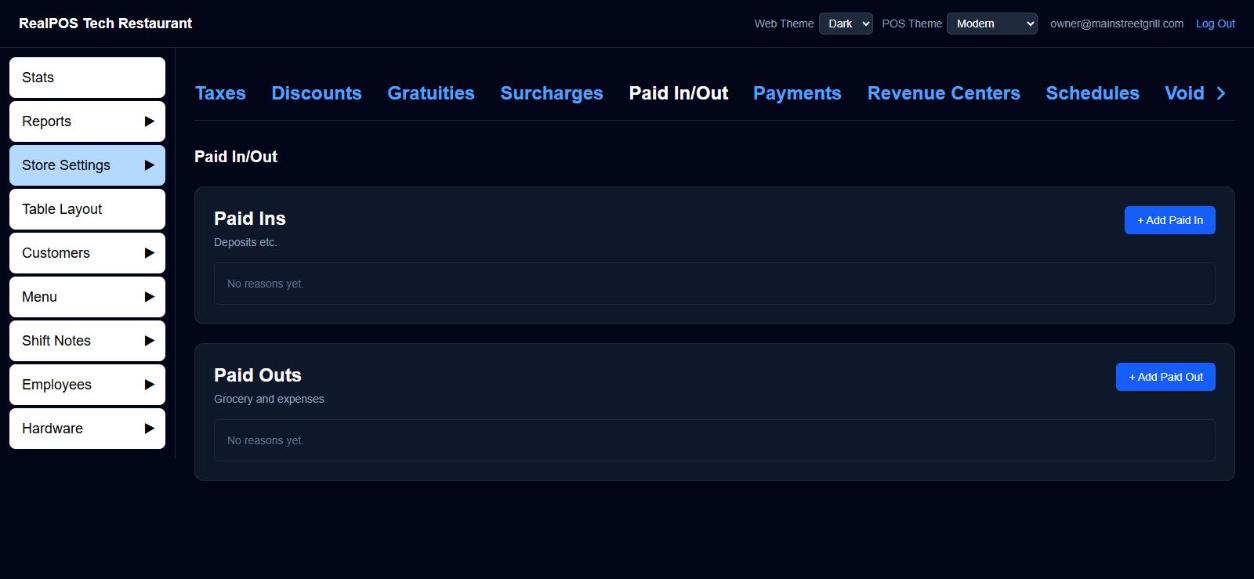 Store Settings > Paid In/Out
Record one on the POS
- Tap Orders. Paid In/Out is on the bottom bar of every tab except Closed Orders.
- Tap Paid In/Out, then Paid IN or Paid OUT.
- Under Select a reason, tap the reason.
- Type the amount and tap Enter.
What happens next:
- Paid IN: the Pay screen opens on a one-line ticket for that amount. Take it like any payment (cash, card and so on).
- Paid OUT: it's paid out in cash straight away. The drawer opens (if the Cash payment type is set to open it) and a Paid Out receipt prints with the reason, amount and employee. You'll see "Paid OUT recorded:" and the reason.
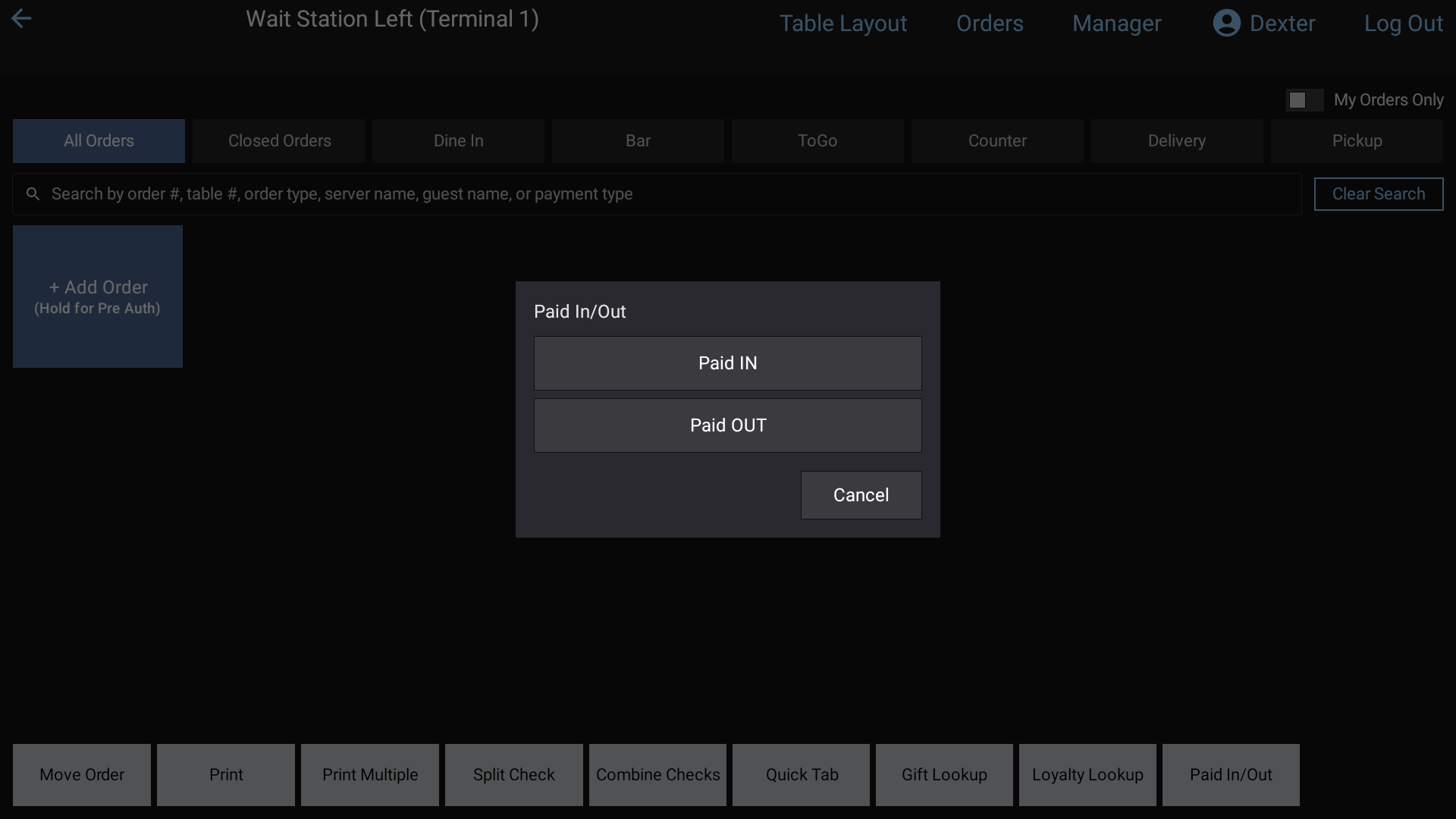 Paid In/Out on the POS
Where it shows up
- On the employee's closeout, as Paid IN or Paid OUT lines with the reason and how it was paid, then Total Paid Ins, Total Paid Outs and Net Paid Ins/Outs. Paid Outs come off the cash to drop. See Closeouts.
- Paid Ins and Outs are never sales. They stay out of Closed Orders, Gross and Net Sales and the sales reports.
Good to know
- A Paid OUT can only be paid out in cash.
- If no reasons are set up, the POS tells you to add some under Store Settings > Paid In/Out.
- The POS fetches the latest list each time Paid In/Out opens, and keeps the last list so it still works if the internet is down.
- Gift cards sold also show as Paid INs on the closeout, not as sales. See Gift cards and loyalty.