Void reasons
Set the list of reasons staff must choose from whenever they void an item or an order.
Every void on the POS needs a reason. Staff pick one from your list before the void goes through, so you can see later why food was voided. Set the list up in the back office (login.realpos.net) under Store Settings > Void Reasons.
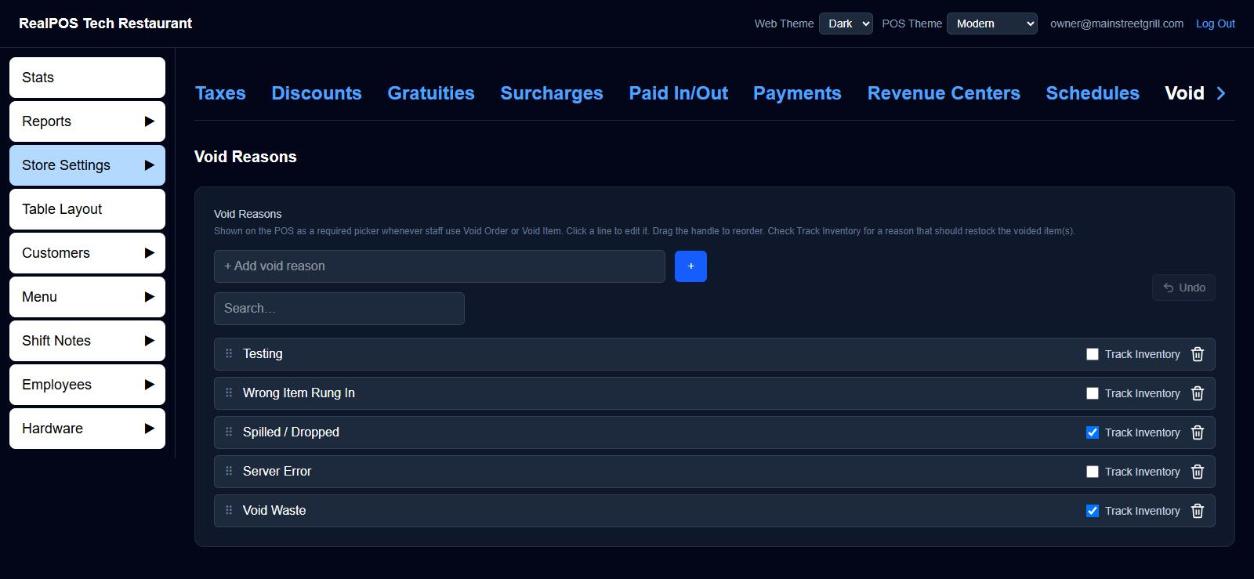 The Void Reasons list
Add and edit reasons
- Type a reason in + Add void reason, for example "Rung in wrong" or "Guest changed mind".
- Click +.
- To change a reason, click its text, type, and click away.
- To change the order staff see them in, drag the ⠿ handle.
- To delete one, click its trash can.
- Track Inventory: tick it for a reason that should restock the voided items.
- Made a mistake? Undo reverses your last change.
Use Search… to find a reason in a long list. Two reasons can't have the same text.
What staff see
When someone taps Void Item or Void Order on the POS, Select a reason comes up first with your list. A reason with Track Inventory ticked shows (Track Inventory) beside it. Tapping Cancel cancels the whole void.
If you haven't added any reasons yet, the POS says so and the void can't go ahead, so add at least one before you open.
Good to know
- Voiding needs the "Allows voiding an item" or "Allows voiding an entire order" permission, or a manager override. See Jobs and security.
- The reason is saved with each void. See who voided what, and why, in the Void and discount reports.
- How staff void: Void an item.