Manager & Owner Manual › Guests
Your customer list
See and export the guests who've signed up on the POS, with their phone numbers and emails.
The customer list is everyone who has signed up as a loyalty member on the POS: their name, phone number and email (if they gave one). Use it to look someone up, or export it for a mailing.
Where customers come from
Guests are added on the POS when a server taps Loyalty in an order and types a phone number that isn't on file yet. The POS asks for the guest's name, then their email, and signs them up. See Gift cards and loyalty.
See the list
- In the back office, go to Customers.
- The Customer List shows each guest's Name, Phone Number and Email Address, A to Z by name.
- To find someone, type any part of their name or phone number in Search name or phone.
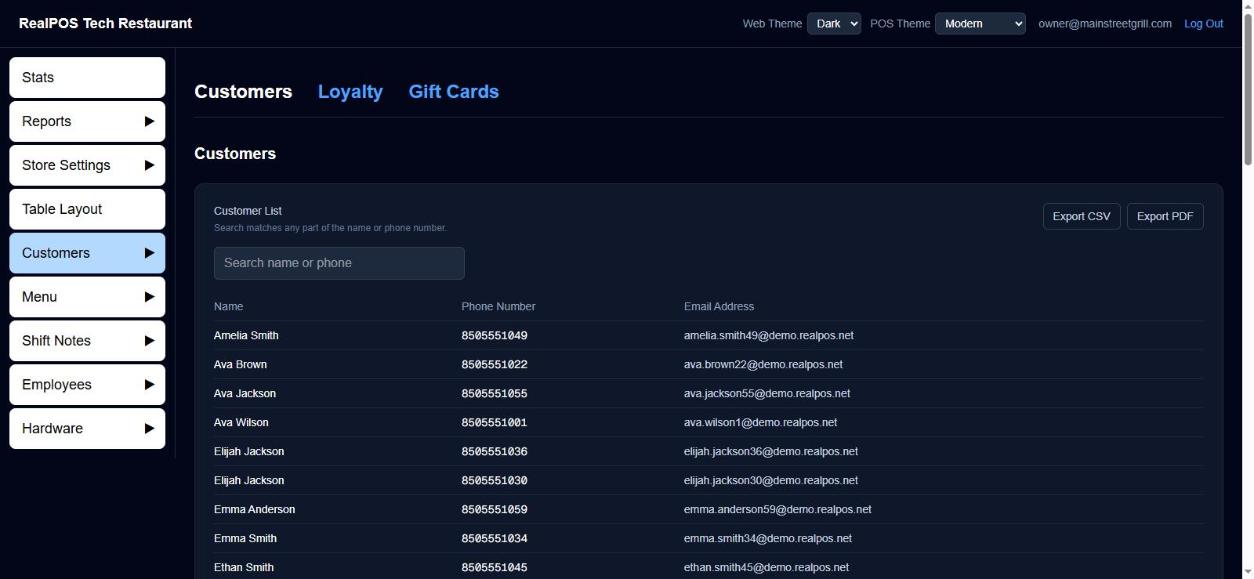 The customer list
Export it
- Export CSV saves the list as a spreadsheet file (customers.csv) you can open in Excel or load into a mailing tool.
- Export PDF opens a printable Customer List. Use your browser's print screen to print it or save it as a PDF.
Both export what's showing, so search first if you only want some guests.
Good to know
- To see each member's points, go to Customers > Loyalty. Gift cards are under Customers > Gift Cards. See Gift cards and loyalty.