Find an order, or reopen a check
Search open and closed orders, look back at another day, and reopen a paid check to fix its payment.
Everything is on the Orders screen. Tap Orders at the top of any screen.
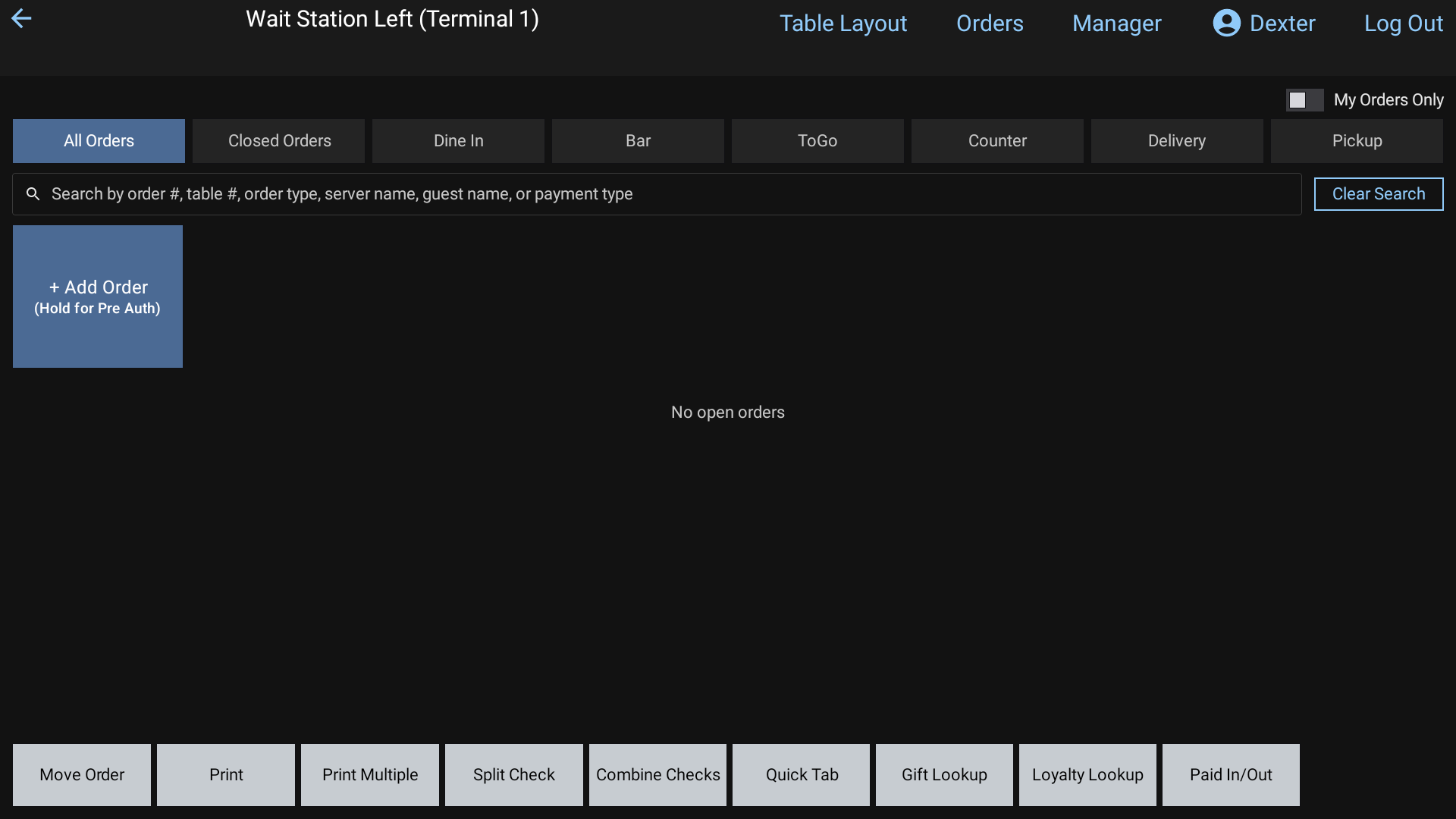 Open orders on the Orders screen
Find an open order
- Tap All Orders, or the tab for the order's type.
- Tap the search box and type part of the order number, table, order type, server name, guest name or payment type. Tap Done.
- Tap the square to open the order. Press and hold it for about a second to peek at the ticket.
Clear Search shows everything again.
Closed Orders
Closed Orders shows today's paid checks.
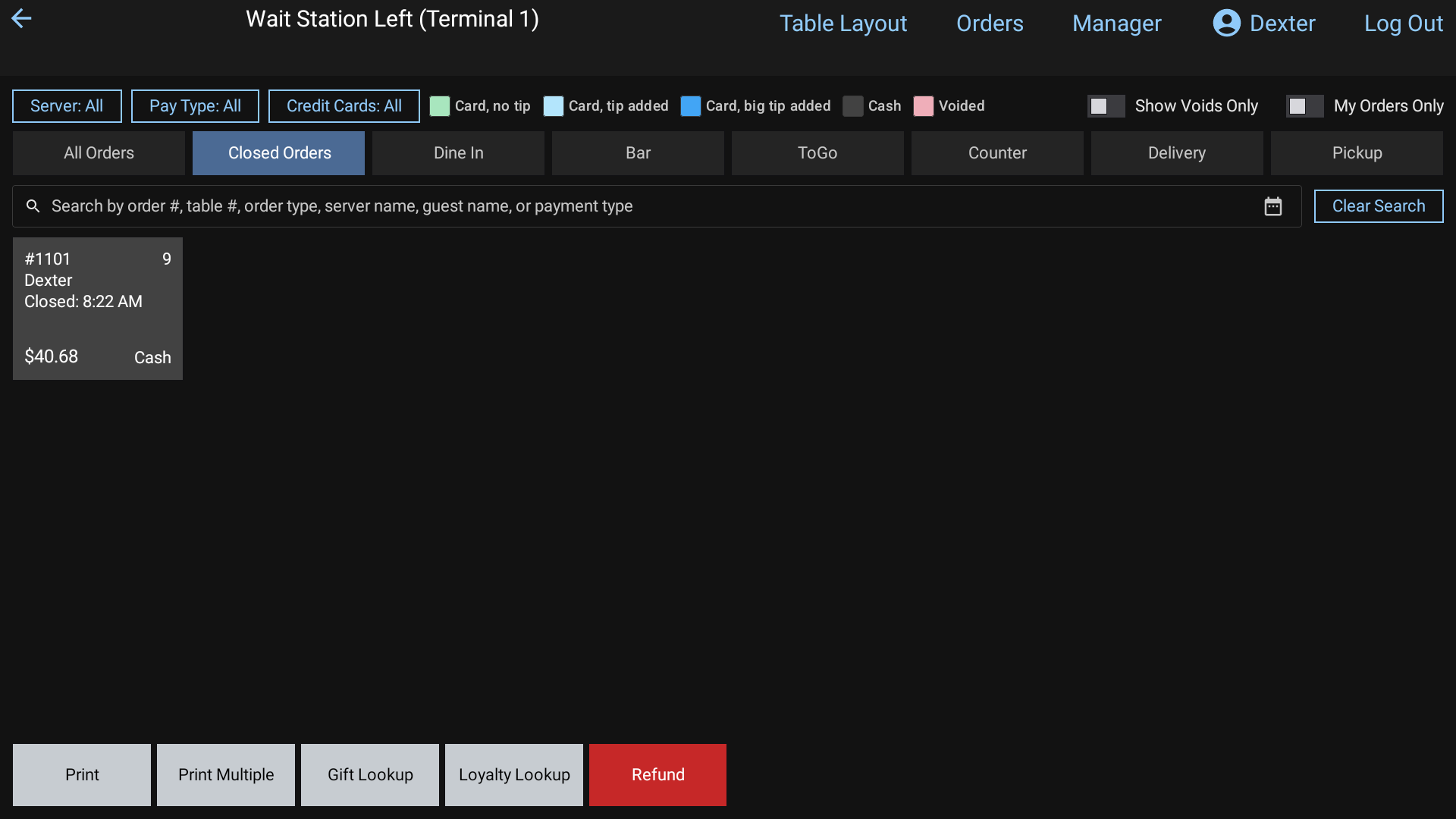 Closed Orders
The square colors:
| Color | Means |
|---|---|
| Green | Card, no tip yet |
| Light blue | Card, tip added |
| Dark blue | Card, big tip added |
| Dark gray | Cash (and gift card) |
| Pink | Voided |
A check paid in several payments shows one square per payment, like #1101-1 and #1101-2.
Narrow the list with the buttons at the top:
- Pay Type (cash or card) and Credit Cards (no tip, tip added, big tip added)
- Server, for managers and staff who can see everyone's orders
- Show Voids Only shows the voided checks instead
Look at another day: tap the calendar icon in the search box and pick a date. The screen says Showing closed orders from and the date. Tap Back to Today to return.
Reopen a paid check
Use this when a payment went on wrong, for example the wrong card or the wrong tender.
In Closed Orders, tap the paid check's square (any color but pink).
Reopen This Check? Tap Yes.
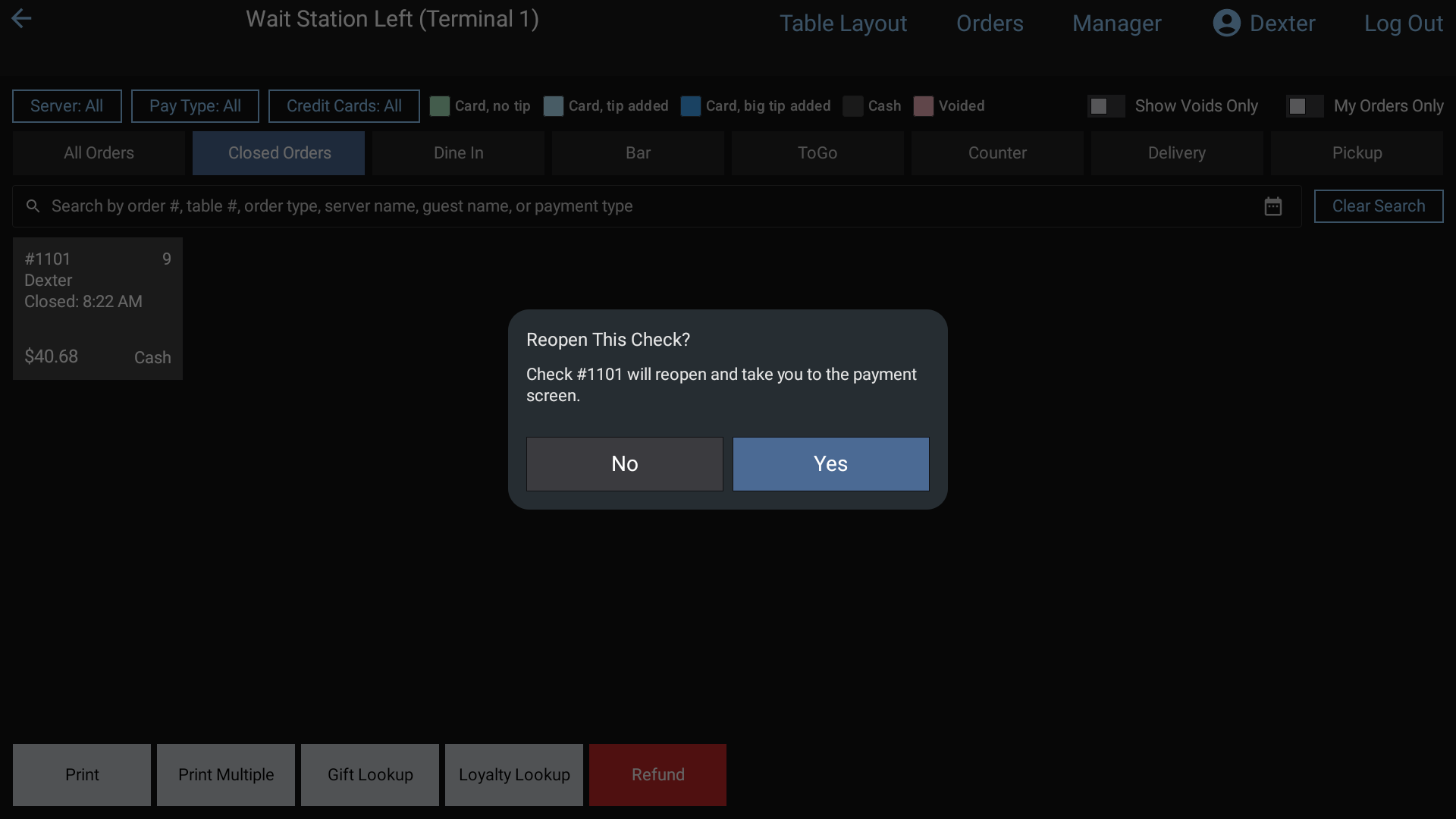 Reopen This Check? after tapping a paid check in Closed Orders: Yes opens it on the payment screen
The payment screen opens with the old payment still under Tendered.
To change it, tap the old payment, tap Yes to remove it, then take the payment again. See Take a payment.
Reopened it by mistake? While the old payment is still there, the keypad's Enter key says Reclose. Tap it to close the check again as it was.
Good to know
- Voided checks can't be reopened. You can still hold them to view or reprint.
- You only see your own orders unless you're a manager or have the "See All Staff Orders" permission. Those staff also get a My Orders Only switch.
- Holding a closed order also shows + Add Tip for card payments, and icons to print, text or email the receipt. See Tips and Receipts.
- Money back to a guest is a refund, not a reopen. Ask a manager. Managers can read Refunds.