Tips
Enter card tips from your Employee Menu, fix a tip, add a gratuity to an order, and declare cash tips.
Card tips are added after the payment, from the slip the guest filled in. You don't enter them while you're taking the payment. You enter them from your Employee Menu. You have to enter every card tip before you can print your closeout or clock out.
Enter card tips
- Tap your name at the top right. Your Employee Menu opens.
- Tap Pending Tips. The number in brackets is how many are waiting. Each green square is a card payment that still needs its tip.
- Tap a square. Tip for Order # opens with a number pad.
- Type the tip from the signed slip. Numbers fill in from the right:
5,0,0is $5.00. - Tap Save.
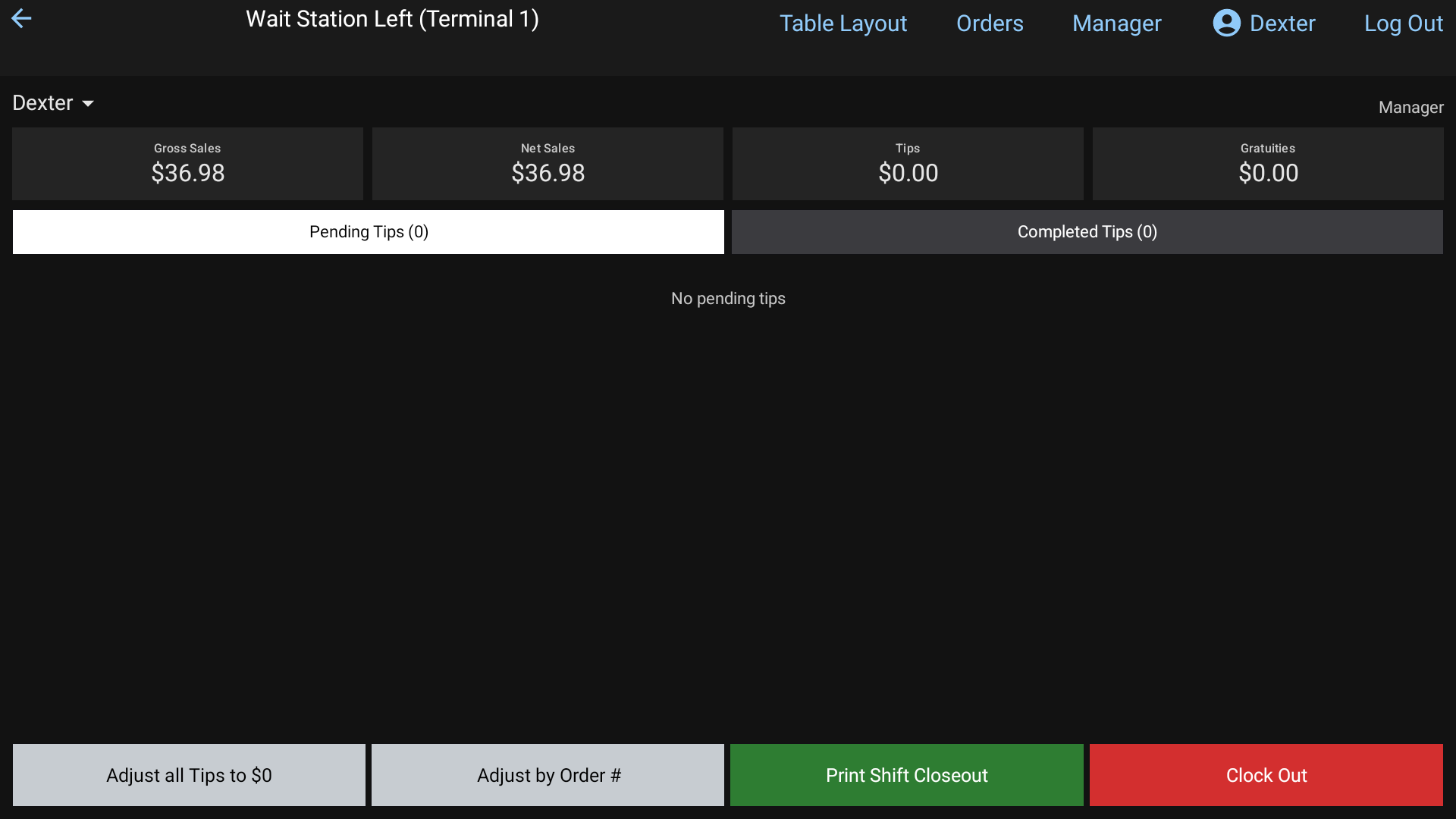 The Employee Menu with Pending Tips
The square moves to Completed Tips and turns light blue with the tip on it.
No tip on the slip? Type 0 and tap Save. Or tap Adjust all Tips to $0 to zero every pending tip at once.
Enter tips by order number
Faster when you have a stack of slips:
- On the Employee Menu, tap Adjust by Order #.
- Type the order number from the slip and tap Enter.
- Type the tip and tap Save. The Order # pad opens again for the next slip.
You might see:
- Order # 123 was not found: check the number.
- Order # 123 is not your order: only your own, unless you're a manager.
- Order # 123 has no card payment to tip: it was paid another way.
If your restaurant has a barcode scanner, scanning the barcode on a receipt opens that order's tip straight away.
Fix a tip
On Completed Tips, tap the square and type the right amount. You can also go to Orders > Closed Orders, press and hold the order, and tap + Add Tip.
High Tip Warning
If a tip is a higher percent of the check than your manager's limit, High Tip Warning pops up after you save.
- Adjust reopens the pad so you can fix a typo.
- OK keeps the tip as typed.
Big tips show in dark blue with Tip %: on the square.
Cash tips
You declare cash tips when you print your shift closeout or clock out. Cash Tips asks you to Enter your cash tips. See Your shift closeout.
Add a gratuity
For large parties, you can add an automatic gratuity to the order:
- In the order, tap Gratuity.
- Tap a percent.
It shows in the totals as Gratuity and the percent. To take it off, open Gratuity again and tap Remove. Adding a gratuity needs the Gratuity permission. Otherwise a manager types their PIN.
Good to know
- The tiles at the top of the Employee Menu add up your shift so far: Gross Sales, Net Sales, Tips and Gratuities.
- If a card won't take the tip, the pad stays open and shows why.
- Managers can see and fix everyone's tips. Tap the name at the top left of the Employee Menu to pick employees.