Knowledge Base › Staff & time clock
An override is required to perform this function
Why the POS asks for a manager's PIN, how the override works, and how a manager gives a job the permission instead.
Your job doesn't include the permission for that button. A manager (or anyone whose job has that permission) types their own 4-digit PIN on the pad, and the action goes ahead once. You stay signed in as yourself.
Messages you might see
- An override is required to perform this function. - on the order screen (void, discount, change price, transfer and so on).
- An override is required to access the Manager menu - your job doesn't have the Manager permission.
- An override is required to access Settings - opening the terminal's Settings needs the Terminal Settings permission.
- Refunds Allowed required - manager override - refunds need the Refunds permission.
- An override is required to use a payment type - that payment type is limited to certain jobs.
After the PIN:
- Invalid override PIN - no employee has that PIN.
- Override user lacks followed by a permission name - that person doesn't have the permission either.
For managers: give the permission to a job
- In the back office, go to Employees > Jobs and open the job.
- Under Permissions, tick what the job should be able to do (for example Void Item, Change Price, Refunds, Cash Out Order).
- Save. Everyone with that job gets it.
Payment types limited to certain jobs are set under Store Settings > Payments > the payment type > Jobs Allowed.
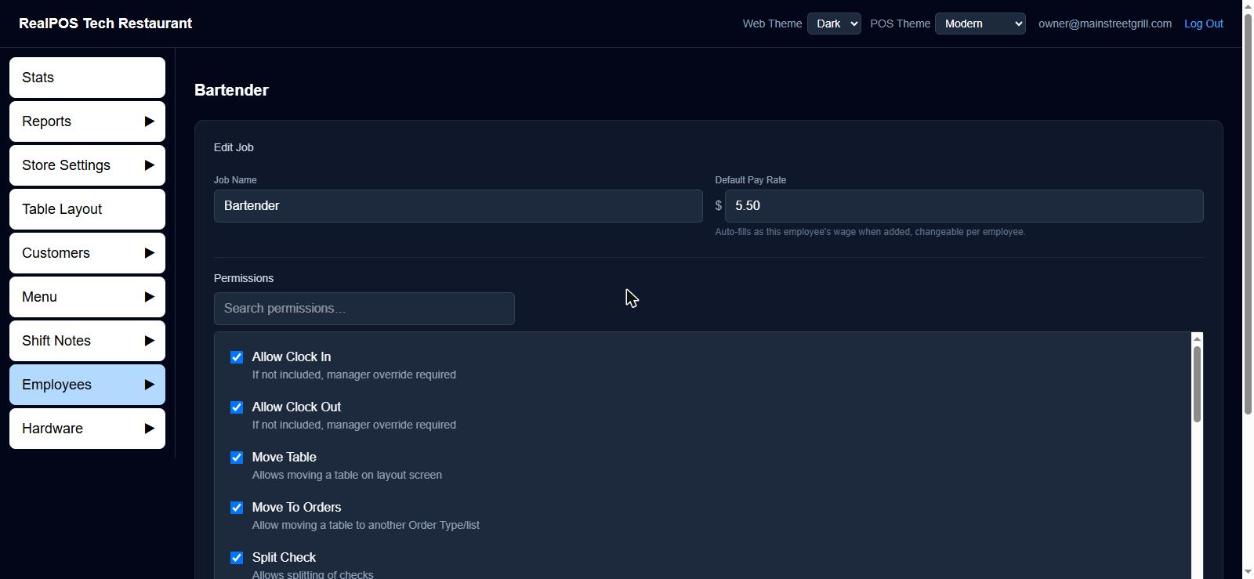 Permissions on a job
Related: Jobs and security.